2. Upload your first model
- In your app, enter Design mode ().
- Click the red plus (), name the model, and Save.
- Open the model entry's context menu → Edit → Upload, choose your
.xlsx, enter a reason, and confirm. - Leave Design mode to view the model.
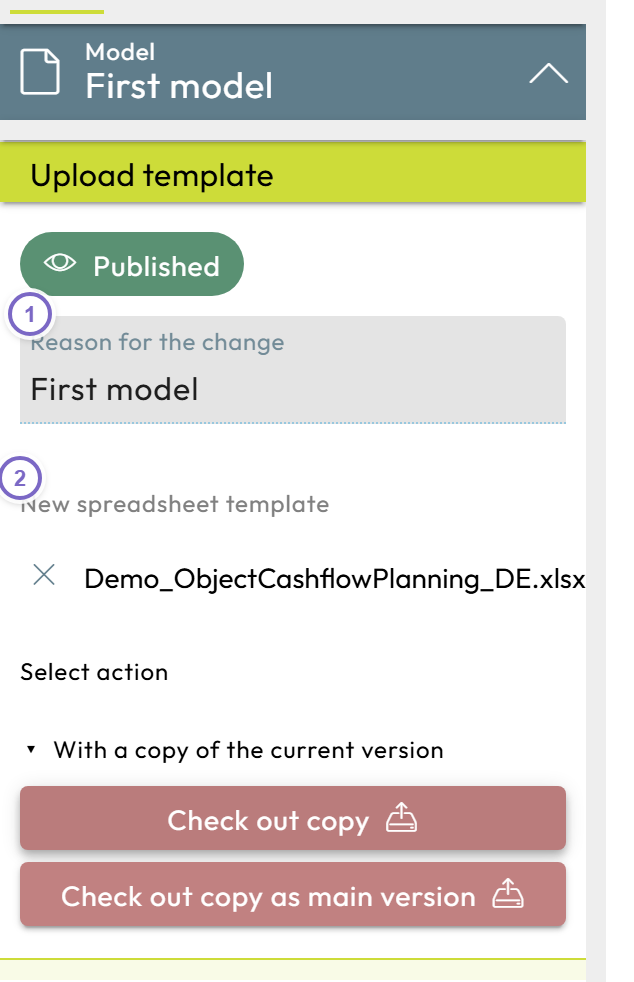
- 1 Enter a reason for the change.
- 2 The chosen spreadsheet template.
note
Short on time? The Nooxl Transformer can create the model and its input cells automatically from your upload — then jump ahead to step 4.
For more, see Upload and update a model.
Next: Connect cells to storage