Authentication in the Nooxl REST API
API login
Authentication in Nooxl Apps can happen in two different ways, depending on the configuration. The first way is signing in with a Microsoft account or Office 365 account. The second way uses the Nooxl identity manager of the Nooxl Apps environment for API authentication. Authentication then happens via an API login with a login name and password, for users who were created in the Nooxl identity manager by a system user and who were assigned the necessary rights in the Nooxl App. This way is also used in the examples.
The API user must successfully sign in directly to Nooxl Apps at least once before using the API.
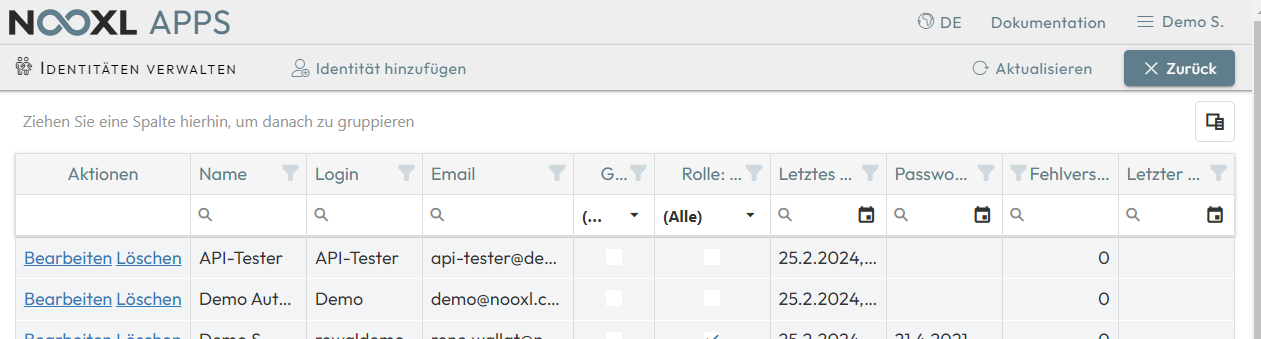
The language/culture set for the API login in the Nooxl App plays a role, for example for the REST API "model calculate", in the formatting of number values. We recommend setting English as the language. The language is set when a user is assigned to the API login in the Nooxl Apps environment.
Parameters in the REST API URL
The "authenticate" REST API is called with the following parameter:
https://{nooxlApiHostName}/api/v1/app/login/authenticate
The name of the Nooxl API server nooxlHostName depends on the installation and is, for
example, https://ncs-demo.nooxl.com for the Nooxl demo apps.
This means the parameter is inserted into the URL as follows:
https://ncs-demo.nooxl.com/api/v1/app/login/authenticate
Parameters in the REST API body
The request body carries Login and Password. For signing in to the Nooxl API demo
server, the body looks like this:
{
    "Login":"API-Tester",
    "Password":"ivtP@t>UN>KF9"
}
REST API result response
After calling the REST API, Nooxl Apps returns a response body on success. In case of an error, an error message is returned instead. The response body for our demo request looks as follows:
{
    "AuthKey": "_vT...",
    ...
    "TimeZoneOffset": -1,
    "Token": "eyJhb.....CQ"
}
Only the token value eyJhb.....CQ is needed from the result. With further calls to the
REST API, a header Authorization with a bearer text plus the token, for example
Bearer eyJhb.....CQ, must then be sent. The access token expires after a certain period
(depending on the server setting) and must then be renewed.