Calling a third-party REST API with Nooxl Apps
To start automation processes outside Nooxl Apps, you can call an external REST API from a Nooxl model and pass data out of Nooxl Apps. First, a data connection of type "REST-API" is created in the Nooxl data integration, along with a data query with parameters. This can then be used in a Nooxl model in a query section.
Create a data integration in Nooxl Apps
You can find the data integration under the corresponding app tab.
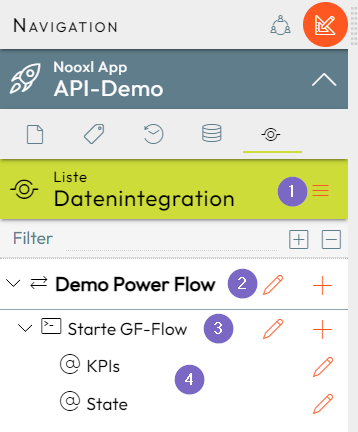
- 1 Create the data integration.
- 2 Edit the data integration.
- 3 The data-query command.
- 4 The data-query parameters.
1. Create the data integration
If you have sufficient permission and the license, you can store the URL and parameters of the third-party service for the call here.
2. Data integration REST_API with URL
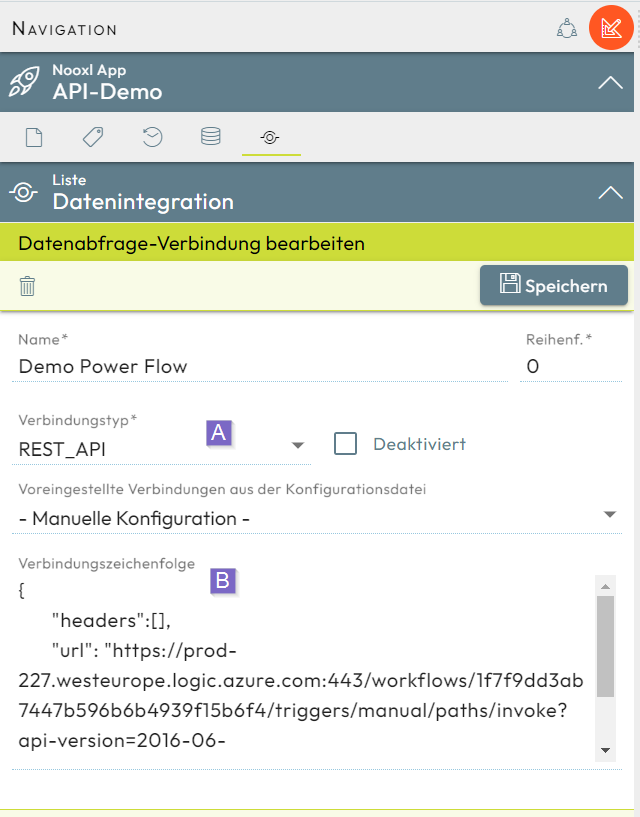
- A The connection type
REST_APImust be selected here. - B The connection string is entered as a JSON string with
headersandurl. Parameters can be used:{{parameter name}}. The parameters must be created in step 4.
3. Data-query command with body
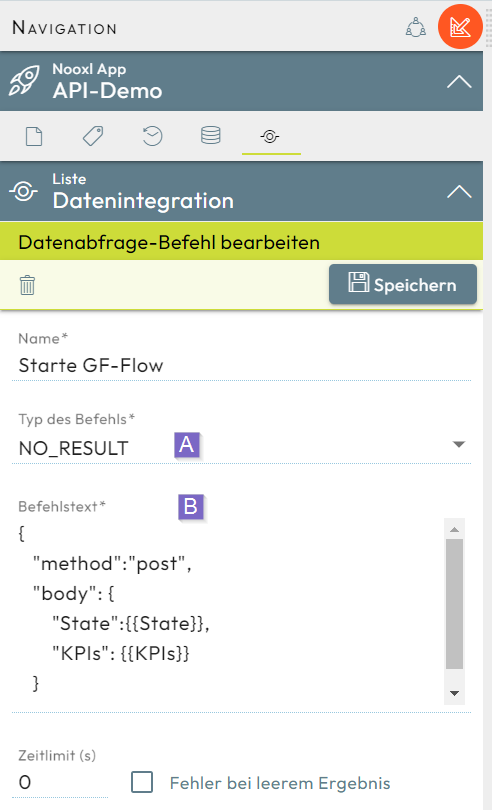
- A
NO_RESULTis selected here. - B The command text is entered as a JSON string with
methodandbody. Currently only the methodpostcan be used. Parameters can be used:{{parameter name}}. The parameters must be created in step 4.
4. Data-query parameter definition
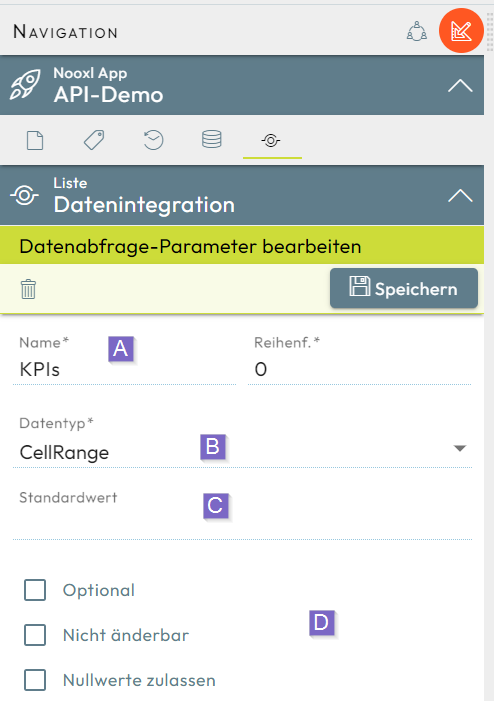
- A The parameter name in braces
{{parameter name}}is used to replace it, in both the data-query command text and the data connection's connection string, with values from a Nooxl model or the default value when the call runs. - B In addition to the classic data types, a
CellRangepasses a string array of rows with string arrays of columns:[["R1C1-Value"], ["R1C2-Value"] ], [["R2C1-Value"], ["R2C2-Value"] ]for a 2 rows x 2 columns array. - C If the parameter is not assigned in the Nooxl model section, the default value is inserted instead.
- D The following options are available for parameters:
- Option
Optional: the parameter need not be assigned in the Nooxl model section. - Option
Not modifiable: the parameter cannot be assigned in the Nooxl model section; the default value is always used. - Option
Allow null values: null values are not treated as an error.
- Option
Using the data integration in a model section
Once a data connection with a data-query command has been defined, it can be used in a Nooxl model.
Markups in the Nooxl model
For our example, in the Nooxl model "Acquisition Quick Check", key figures for a real-estate acquisition are determined. The key figures and a status text are to be transmitted to a third-party system. For this, 3 markups are needed: 2 parameter ranges and 1 trigger range.
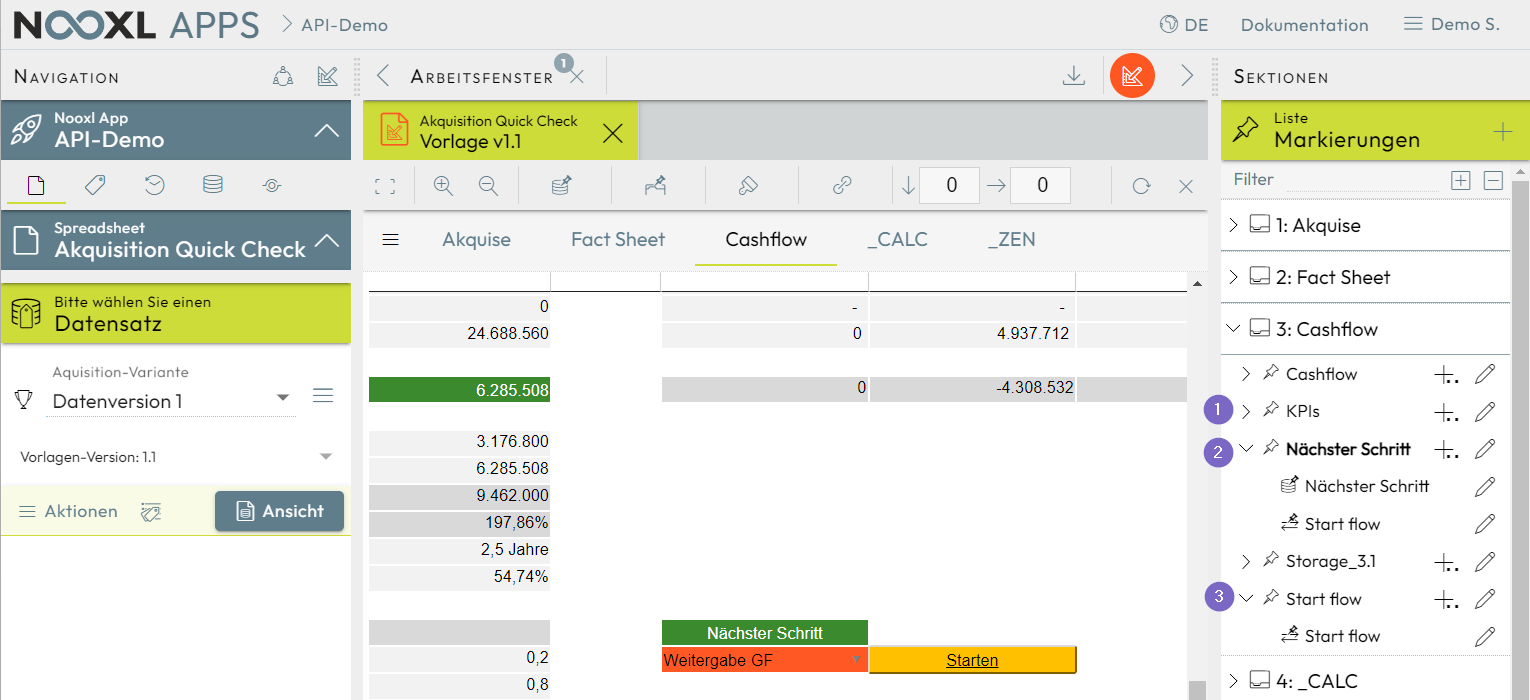
Markups of the data-query section with the Nooxl model in design mode
- 1 The "KPIs" markup points to a cell range with result values for the KPIs parameter.
- 2 The "Next step" markup contains values for the State parameter.
- 3 The "Start flow" markup points to the "Start" cell for triggering the call.
Setting up the data-query section in the Nooxl model
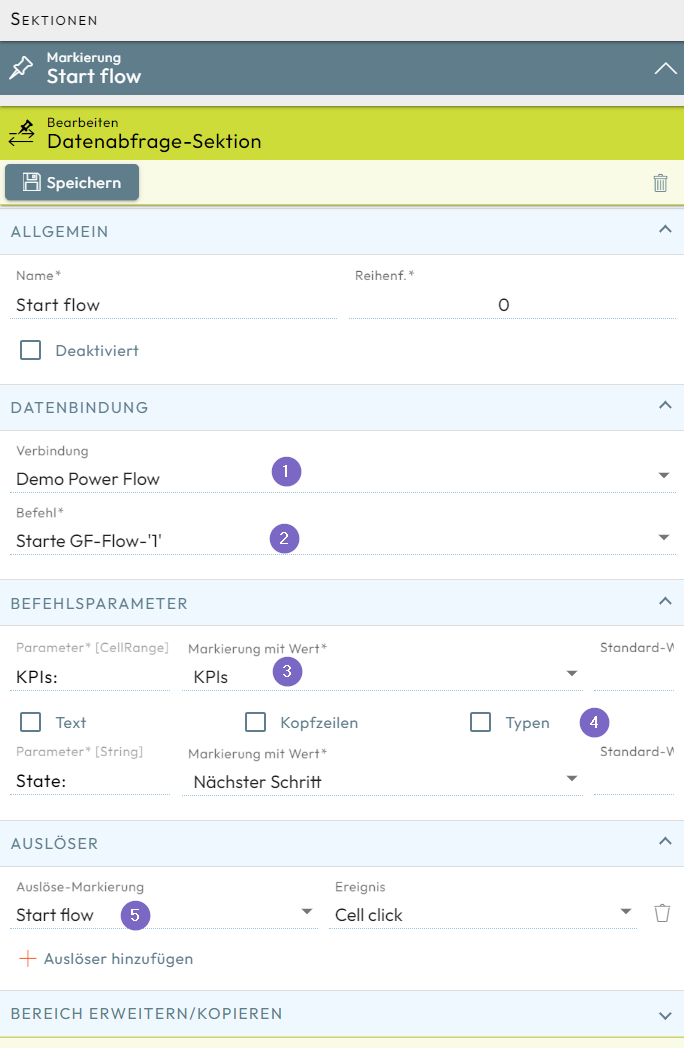
- 1 The data connection from the data integration is chosen here.
- 2 A matching data-query command with its parameters from the data integration is chosen here.
- 3 Markups are mapped to the parameter definitions, from which values for the parameter are read from the Nooxl model.
- 4 For parameters of data type
CellRange, options can be set:- Option
Text: all values are read as text. - Option
Headers: the range contains header rows. - Option
Types: the data type of the values is determined automatically from the first row.
- Option
- 5 The trigger for the call is set here. The call can happen, for example, manually on a click on the cell range, or automatically on save.
Calling the third-party API
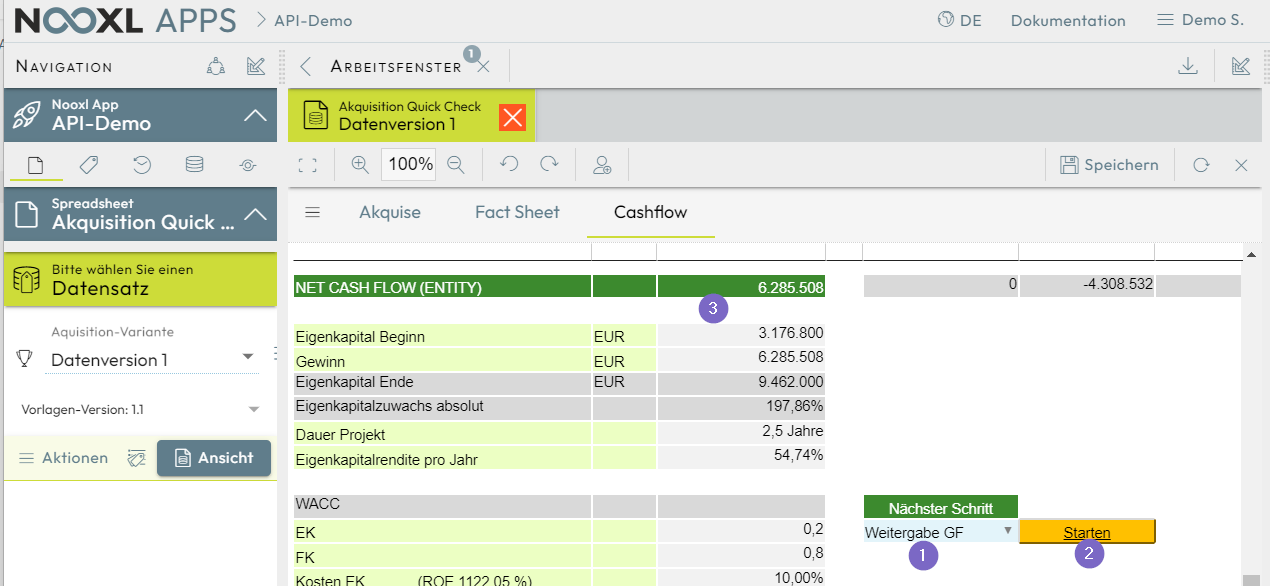
Going forward, in our example model, after setting the "Next step" 1 to "Hand over to GF", the "Start" cell 2 can be clicked. The API call to the third-party service happens with the KPI values 3.