Model comparer
The model comparer compares two open datasets and lists every cell whose value differs, so you can see exactly what changed between them.
When to use
- Compare a historical dataset with the current one (for example from the history) to track who changed what.
- Compare two scenarios or two versions side by side.
Step by step
- Open at least two datasets in your workspace.
- Click Compare current spreadsheet with ….
- Choose another open model/dataset combination from the list.
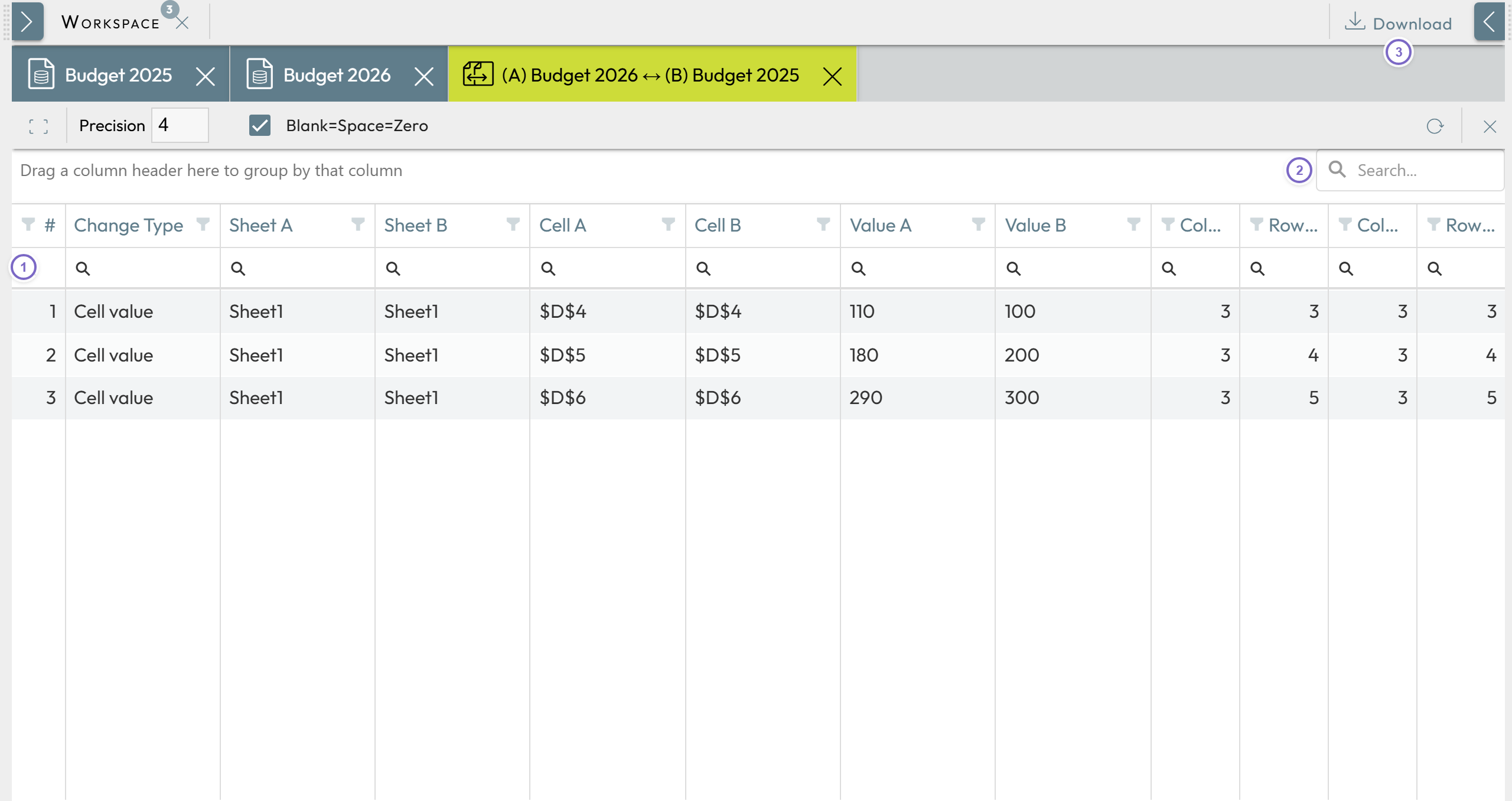
Nooxl Apps opens a new tab listing all cells with differing values. You can:
- 1 Filter the list by column.
- 2 Search the list.
- 3 Export the result to Excel via Download.