Permissions section (workflow)
A permissions section grants workflow-based permissions — rights that change with a workflow status — going beyond the static permissions in Collaboration. Use it when different user groups should get different rights depending on the current state of a process.
In older documentation and the API this is a workflow markup (MarkupWorkflow). For the concept and how rights are evaluated, see also Workflow permissions.
Authorization levels
Workflow rights apply to different objects:
| Level | Affects |
|---|---|
| Matrix | A specific model. |
| State | A specific dataset of a model. |
| Condition | Labels of a data label category — applied wherever those labels are used for dataset selection or in dimensions. |
Permissions granted
| Permission | Meaning |
|---|---|
| PriorityAccess | Whether the object can be seen (no access → the View button never enables, labels are hidden). |
| PrioritySave | Whether data can be changed/saved (also gates copy and recalculate). |
| PriorityDelete | Whether the object can be deleted. |
| PriorityAssign | Whether it can be assigned to a user/group. |
| AssignText | A message carried through the workflow (shown in the dataset list), for example a hint to another department. |
How permissions are evaluated
The section produces a generated table with the permission columns on the right. A user
or group has a permission when the value is >= 0. When you authorize on both user
and group level, the values are summed — a group -1 plus a user +1 results in
0, so that single user gains the right while others in the group do not.
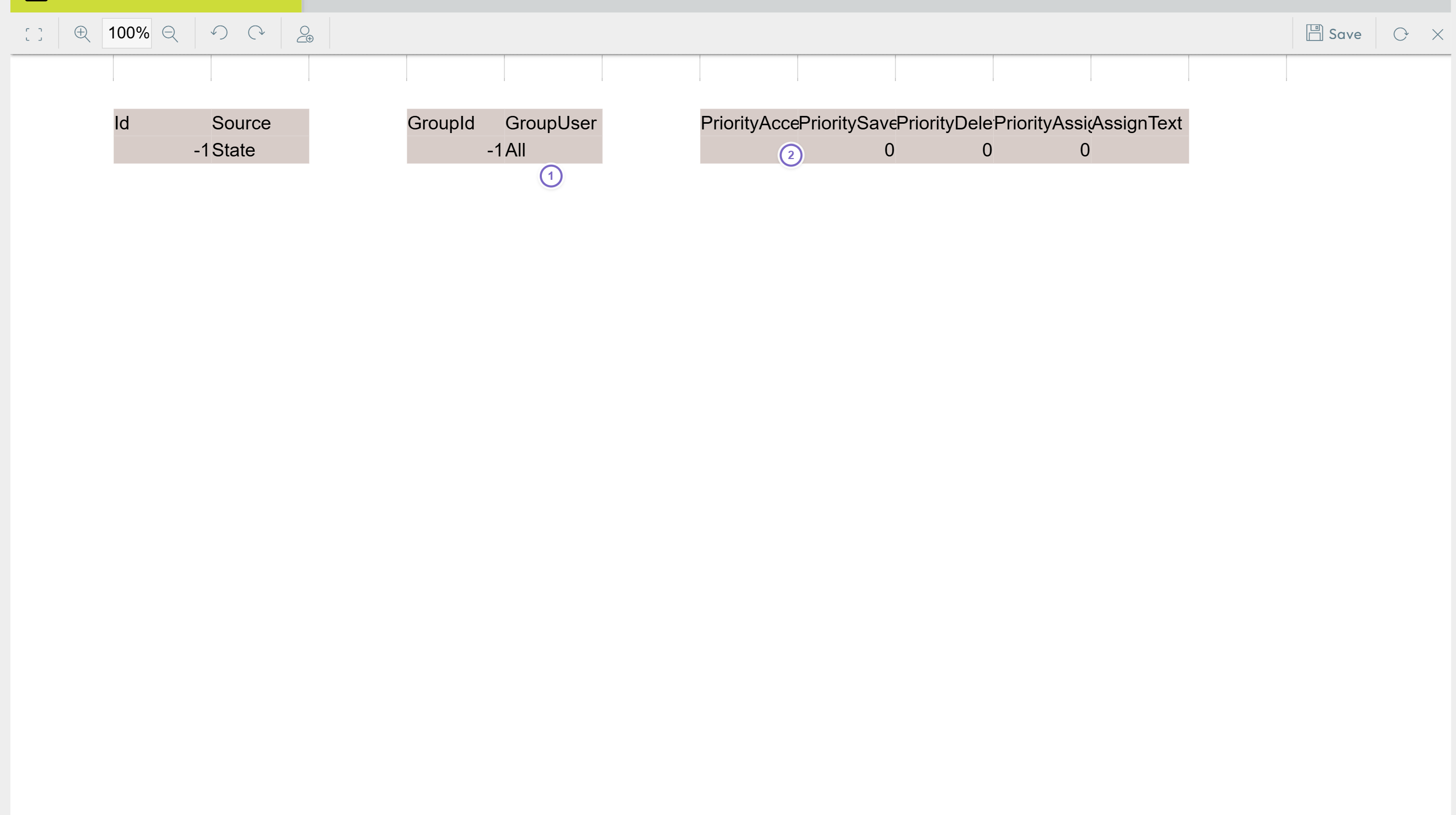
- 1 The group/user rows.
- 2 The PriorityAccess / Save / Delete / Assign columns.