Tabs and views
What sheets are in Excel, tab pages are in Nooxl Apps. By default a model shows one tab page per sheet. As soon as you create your own tab page, the default sheets are no longer shown.
Custom tab pages let you:
- fix (freeze) certain rows and columns so they stay visible,
- hide tab pages dynamically at run time,
- hide rows and columns dynamically at run time,
- split one sheet across multiple tab pages,
- and show only part of a sheet to users.
A tab page is implemented as a section anchor that carries a tab view section. This page covers configuring views from the model; the section type itself is documented under sections.
Prerequisites
- A model is open and you are in its template Design mode ().
Create a tab page
- Open a dataset of the model and switch the model into Design mode.
- Select the cells that should form the tab page.
- Click Create new tab page, give it a name, and click Create.
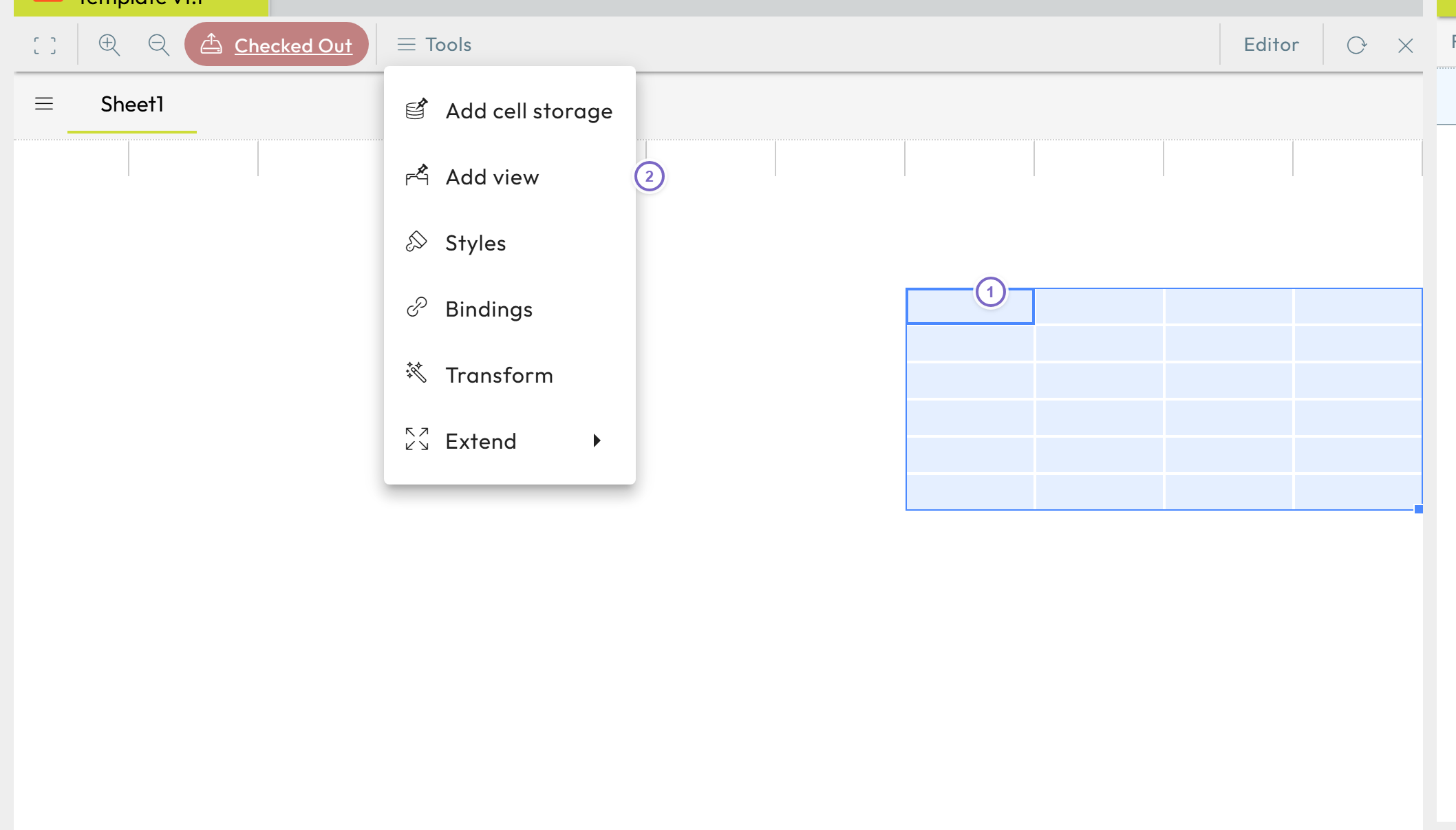
- 1 Select the cells for the tab page.
- 2 Click Create new tab page and name it.
This creates a section anchor with a tab view inside, both with the name you enter. A
good practice is to prefix tab markups with a scheme such as T.[tab name] so you can
later filter all tab markups by searching for T..
Edit or delete a tab page
In the template Design mode, find the tab in the right-hand Tools area and click the pencil next to it to open its properties; the properties panel has a trash icon to delete it.
Tab page properties
| Field | Meaning |
|---|---|
| Name | Shown to the user as the tab label. |
| Order | Position of the tab; equal orders are sorted alphabetically. |
| Description | Optional description. |
| Use visibility markup | Choose a section anchor on a cell whose Excel logic outputs show/hide, to show or hide the tab dynamically. |
| Freeze panes → Use | Enable the frozen-rows/columns settings below. |
| Fixed left columns | Number of frozen columns (counting only columns visible in the tab page). |
| Fixed topmost rows | Number of frozen rows (counting only rows visible in the tab page). |
| Value-based hide of cells | Dynamically hide rows/columns based on logic results. |
| Hide column number | The column holding the show/hide result for rows. |
| Hide row number | The row holding the show/hide result for columns. |
Value-based hiding
Nooxl Apps scans the configured Hide Column and Hide Row for -1
entries: a -1 in a row of the hide column hides that entire row; a -1 in a column of
the hide row hides that entire column. Use Excel logic to compute these values so the
layout reacts to the data.