Mass export of datasets
You can export several datasets of a model at once — useful, for example, for auditing, where you need to hand over all calculations.
Prerequisites
- A model with existing datasets.
Step by step
- Go to the model's dataset selection.
- Select any dataset to activate the Actions menu.
- Choose Actions → Download exports and pick a format.
- Configure the export and start it.
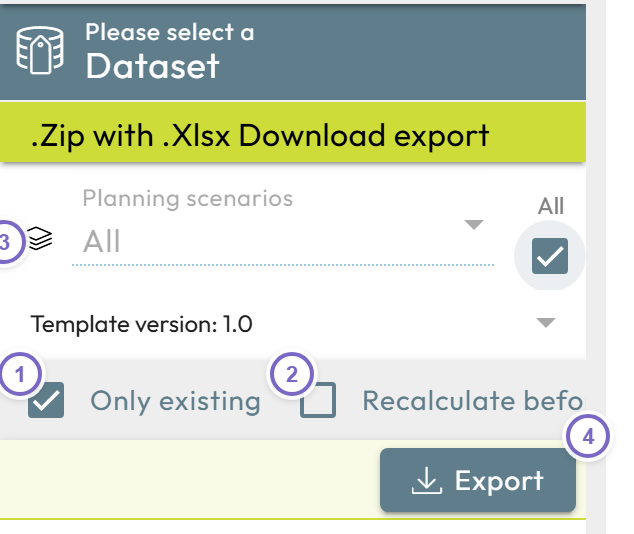
- 1 Only existing — by default only existing datasets are exported.
- 2 Recalculate before — update all values before exporting (use when the model reads from another model; this increases the wait time).
- 3 Select the datasets — use the selections to choose what to export (you can choose All where the selection allows it).
- 4 Export — start the export.